New this October: the dashboard you’ve been waiting a quarter for, in minutes.
We’re excited to announce that AI Dashboards are now live in Docyt. This October, every hotel team on Docyt can build live portfolio dashboards just by describing what they want to see.
Why this matters: ask most hotel groups how they built their portfolio dashboard, and the answer involves a data warehouse, a BI tool, a consultant, and about a quarter of work. Then the books change, the pipeline breaks, and someone is back in a spreadsheet reconciling the dashboard to the P&L.
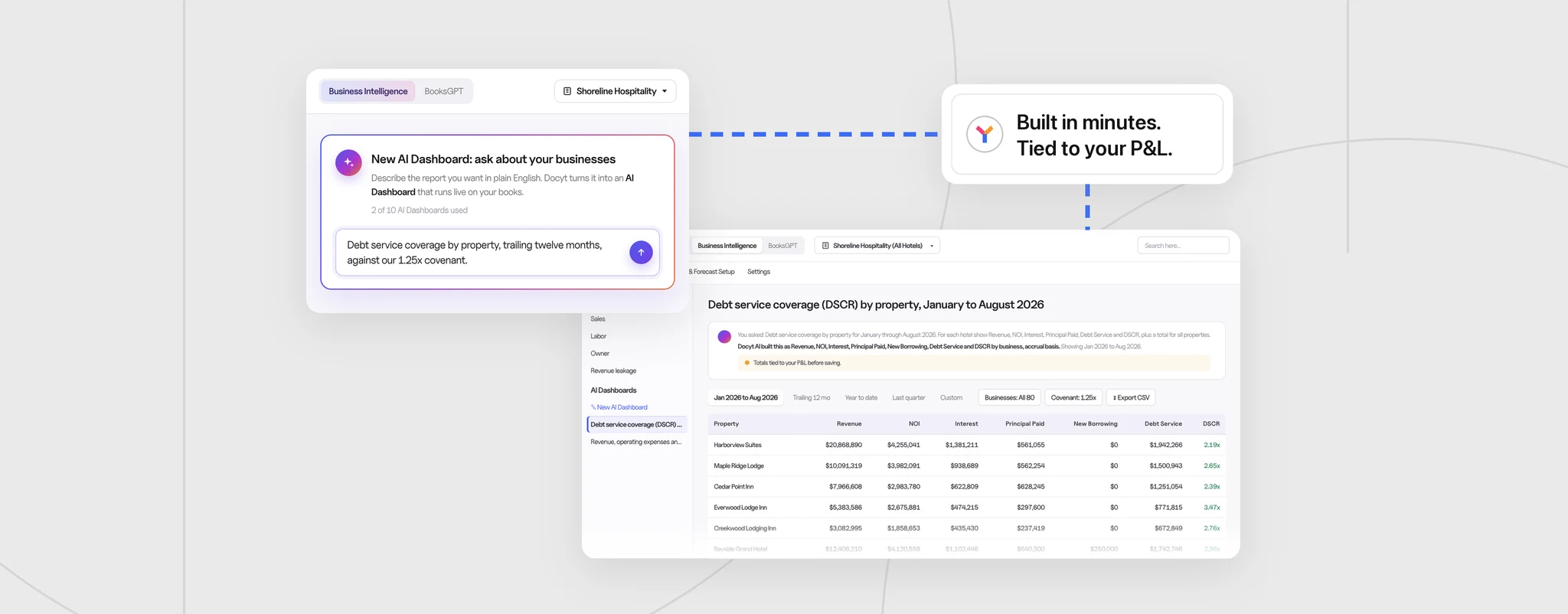
AI Dashboards skip all of that. Your reconciled, closed books already live in Docyt. So instead of building a pipeline to copy them somewhere else, you describe the report you want, and Docyt AI builds a live dashboard straight from the ledger – for the whole portfolio or a single hotel. Here’s what’s new.
How a dashboard gets built
- Describe it. Tell Docyt the metrics, properties, and periods you want – for example, “Revenue, operating expenses, and GOP for each hotel, with a portfolio total.”
- Docyt AI builds and tests it. Within about 15 minutes, it writes the report, test-runs it across your portfolio, and checks the totals against your P&L. You can keep working while it builds.
- Open it any time. Once saved, the dashboard runs on your current books every time you open it. Next month’s version is a click, not a new project.
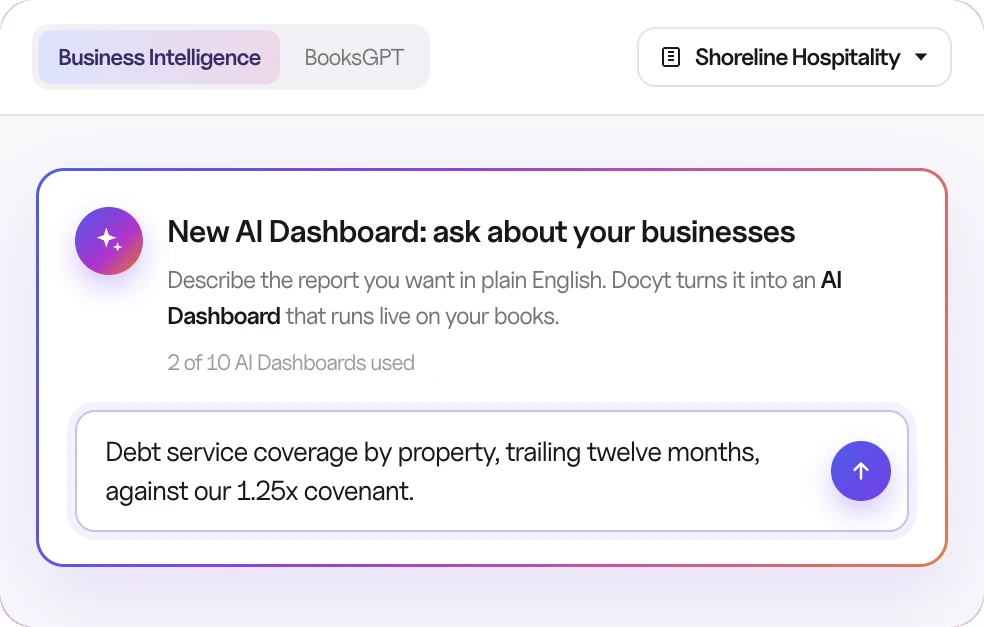
Need a change? Reword the request to rebuild it, or rename, edit, or delete it.
Shape it the way you report
- Periods: trailing 12 months, year to date, last quarter, or a custom range
- Filters: property, account, vendor, class, or department
- Output: a chart, a table, or both, with KPI tiles, totals, and target lines like covenant levels
- Export: CSV, whenever you need it
Why it matters: The time between “I need this report” and “here it is” drops from a quarter to minutes.
Four starter dashboards hotel owners ask for most
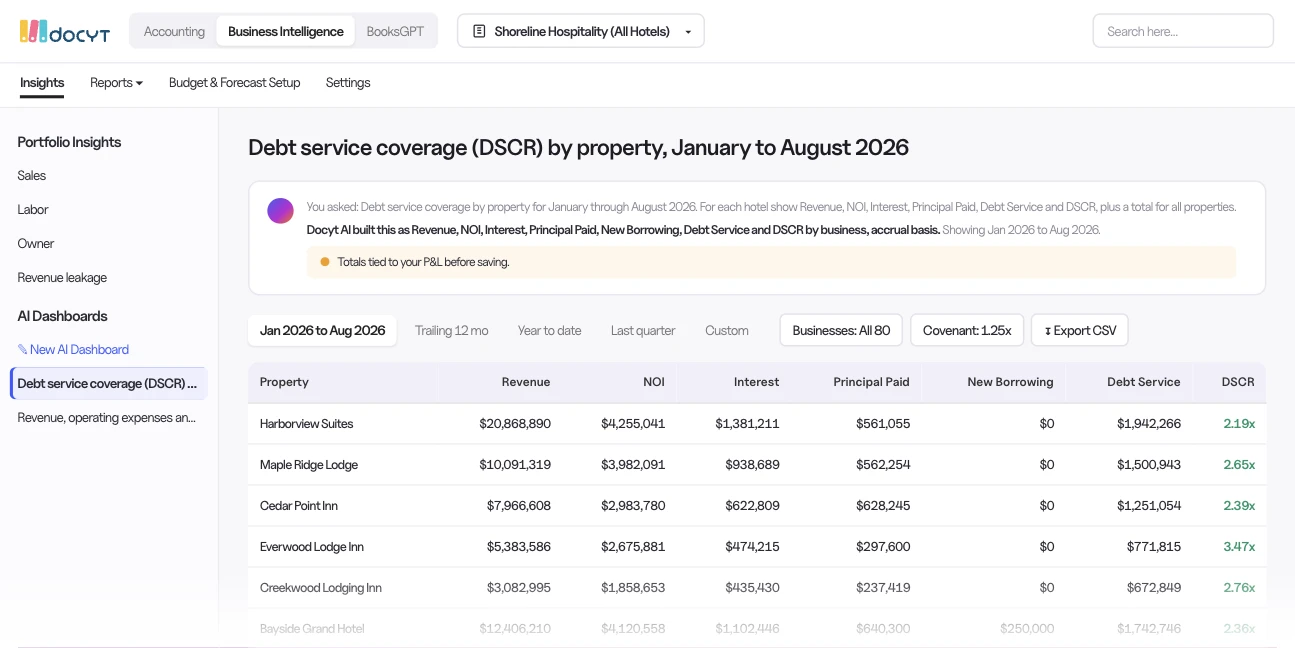
Lender reporting: DSCR by property
Trailing 12 months of revenue, NOI, interest, and principal for each property, with DSCR plotted against your covenant line. Any asset drifting toward its covenant stands out at a glance.
Labor cost per occupied room
Properties ranked side by side with rooms sold, so labor overages surface before month-end close – not after.
GOP margin by property
Each department’s expense as a percentage of revenue, property by property, so you can see where margin is leaking.
Revenue, ADR, and RevPAR vs. last year
Every hotel’s current-year performance against its own prior year, ready for budget and owner conversations.
Beyond the starters, you can ask for revenue, expenses, GOP, NOI, DSCR, labor, ADR, RevPAR, or vendor spend – by property, department, vendor, or account, over any period.
Numbers you can defend in the boardroom
If it doesn’t tie, it doesn’t ship
Before any dashboard is saved, Docyt checks its totals against the P&L. If they don’t match, the dashboard isn’t saved. That one rule removes the most common reason finance teams stop trusting BI tools.
Every number drills down to its journal lines
Click any figure to see the entries behind it, with date, property, account, and memo. When a lender or owner asks “where does this number come from?”, the answer is one click away.
Share it with the right people, and only the right properties
Share a dashboard across the portfolio, and property-level permissions do the rest: each owner, lender, or GM sees only the hotels they’re allowed to see. Permissions are checked every time the dashboard opens, and the dashboard notes anything it excluded.
Why it matters: One dashboard can serve a whole ownership group without building a separate report for every stakeholder.
Available now – build your first dashboard with us
AI Dashboards launched this October as part of the Docyt Business Intelligence Suite and are available now for hotels and portfolios on Docyt’s native ledger. There are no pipelines to maintain and no analyst queue to wait in – just the reports you need, live from your books.
We can’t wait to see what you build. Tell us the report you rebuild every month, and we’ll build it live with you on a demo. Book a Demo→ or Explore AI Dashboards→