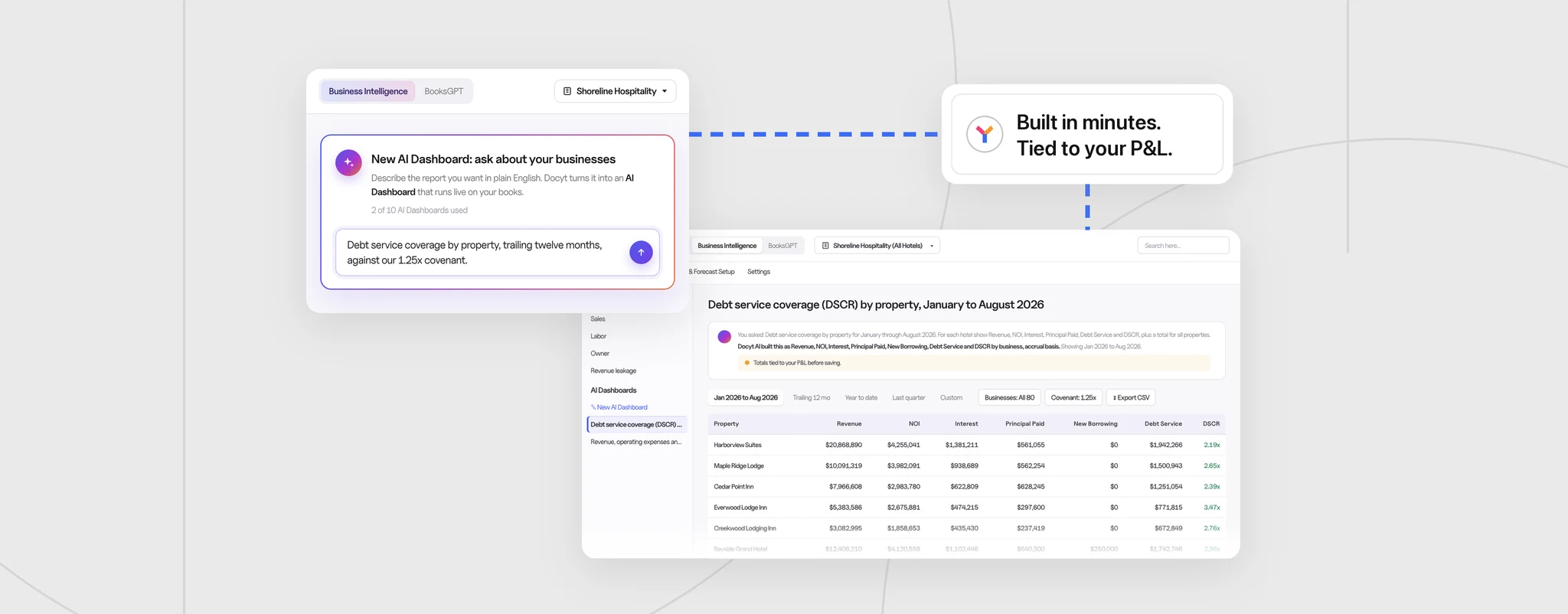

You already closed the books. Tax season shouldn’t make you rebuild them.
Every year, the same cycle repeats. The finance team exports a year of activity, rebuilds it on a cash basis in a spreadsheet, keys in tax adjustments by hand, and trades emails with the CPA for weeks. Next year, they start again from scratch.
Docyt Tax Center ends that cycle. It creates tax-ready books for each year, straight from the Docyt ledger you already close – so your CPA starts with tied-out numbers instead of a trial balance export.
Cash-basis books, not a cash-basis report
Many tools offer a “cash-basis view” – the same numbers with a different label. Tax Center does something different. It creates a separate set of tax-basis books for each tax year, with real tax entries your accountant can open, question, and defend.
- Your operating books never change. Conversion entries and tax adjustments post only to the tax books.
- Tied out before anyone touches a number. Each year is carried in from your Docyt books with one click, and Tax Center proves the tax books match your operating books first.
- Refresh any time. If the underlying books change, Refresh pulls in the updates and keeps your existing tax adjustments.
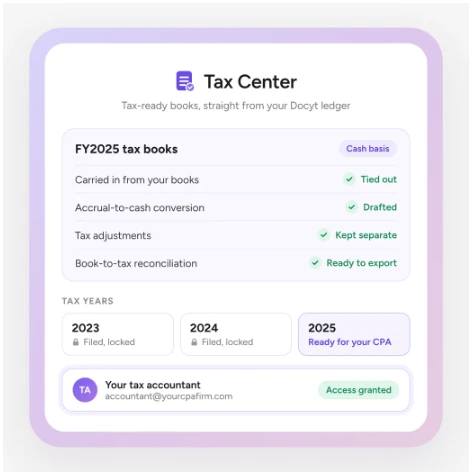
Why it matters: Management reporting and tax reporting stop competing for the same set of books.
The accrual-to-cash conversion, drafted for you
For cash-method returns, Tax Center suggests where each balance sheet account belongs – receivables, payables, accruals, prepaids, deferred revenue. It flags anything it can’t place and drafts the conversion entries for your review.
The conversion policy is pre-built from your chart of accounts. You set it once, and it applies to every open year. Conversion entries can be posted, reversed, or kept, but never deleted, so the audit trail stays intact.
Accrual-method returns are supported too: every year can be carried in, adjusted, and reported.
Tax adjustments stay where they belong
Tax depreciation, non-deductible meals, penalties, and other adjustments live only in the tax books. They never touch the P&L your owners and lenders see.
Why it matters: The conversion that used to be rebuilt by hand every year is drafted for you – and the second year is faster than the first, because the policy carries forward.
From closed books to filed return in four steps
- Set up tax books. Choose your first tax year and return method, cash or accrual.
- Carry in the year. Docyt imports the year from your books and checks that it ties.
- Confirm the conversion policy. Review the suggested account groups, place any flagged items, and draft the conversion entries.
- Review, adjust, and file. Post entries, add tax adjustments, export the tax-basis package, and mark the year filed.
A return-ready package for your preparer
Tax Center exports a tax-basis Balance Sheet, P&L, Trial Balance, and General Ledger, plus a book-to-tax reconciliation and the conversion worksheet. Every report, entry, and worksheet exports to CSV in one click. Tax Center doesn’t file the return – it gives your preparer everything they need to complete it.
Your CPA gets a login, not an email thread
Invite your accountant with their own login and a Tax Accountant role. They get full access to the tax books – policy, entries, reports, and filing – and nothing else by default. You and your CPA work in the same books, with a record that carries across years. No exports, backup files, or shared passwords.
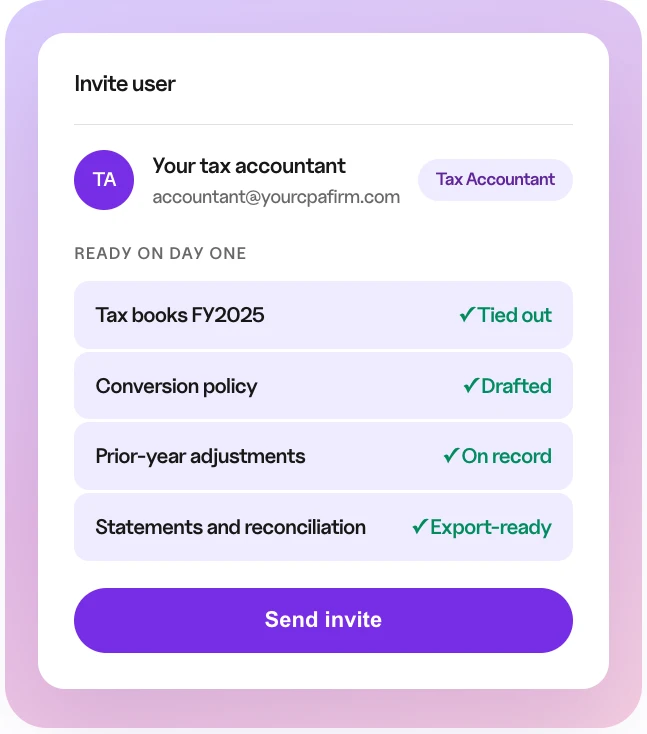
Filed years stay filed
Marking a year as filed locks it and records who carried it in and who filed it. Nothing drifts after the return is in.
Why it matters: Fewer back-and-forth questions with your CPA, a faster path to the return, and multi-entity operators get the same process for every entity from one ledger.
Start next tax season ahead
Tax Center is part of the Docyt Accounting Suite and runs on Docyt’s native ledger. That’s why your tax books tie out without an export – they come from the same books you close every month.
See how your next return could start from tied-out books instead of a spreadsheet. Book a Demo→ or Explore Tax Center→