An invoice gets forwarded to an accounting inbox at one property, photographed on a phone at the loading dock of another, or dropped into an upload folder by a vendor who bills three properties on the same statement. A few days later, each one shows up correctly coded on the right property’s P&L.
For a management company running a portfolio of hotels, it’s rarely that simple. The same invoice might need to be split across entities, coded against a different vendor history at each property, and routed to a different approver depending on which asset it hit. Turning that mess into a clean, correctly coded entry takes more than reading text off a page. It takes several of our AI agents working together in real time, each one picking up where the last left off, so an invoice moves from inbox to coded entry without sitting in a queue waiting for a human to move it along.
A quick note on terminology: this is often searched as “OCR,” the older term for reading text off a scanned document. Traditional OCR matches a document against a fixed template and converts pixels to characters. It works on a clean, standardized form and falls apart on anything else, which is a real problem in hospitality, where invoices routinely arrive as an angled phone photo or scan. What runs underneath our platform is Docyt HpAI, our High Precision Accounting Intelligence architecture. It’s trained on 128 billion accounting data points across 20+ industry verticals, purpose-built for accounting rather than a general-purpose model adapted to fit it. Docyt HpAI supports our library of AI agents behind the scenes, giving each one the accounting-specific understanding it needs to do its job, whether that’s an agent reading a document, coding a transaction, or matching a payment. That difference is what makes the rest of this process reliable on the messy, inconsistent documents that actually show up in a hotel’s inbox. In this article, we’ll dive into the steps that Docyt takes to
Step 1: Intake and Routing, Handled by Our Document Collection Agent
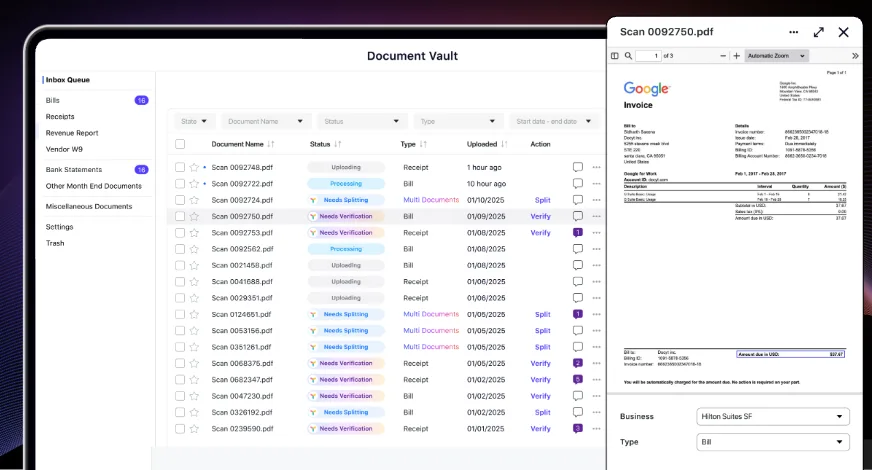
Getting every invoice into one place automatically, no matter how it arrives, is the first step. Our Document Collection Agent, which powers our Document Vault, watches every intake channel in real time: a dedicated email address vendors or staff can forward invoices to, a mobile photo capture option for paper invoices handed to a GM on-site, and a direct upload option for controllers batch-processing invoices at their desk.
Each property gets its own dedicated intake email address, so a batch of paper invoices can be scanned and forwarded as a single PDF, even 50 pages, without anyone splitting it by hand. Whichever channel it arrives through, our Document Collection Agent identifies what kind of document it is and routes it automatically. Nothing depends on someone remembering to route it manually.
The result is a centralized, digital library of every invoice, receipt, and statement across every hotel property. Instead of one inbox per property, one folder per vendor, or a filing cabinet somewhere on-site, everything lives in a single place that’s searchable and accessible whenever it’s needed, whether that’s a controller looking something up mid-month or an owner asking for a document during an audit.
Step 2: AI-Powered Extraction and GL Coding
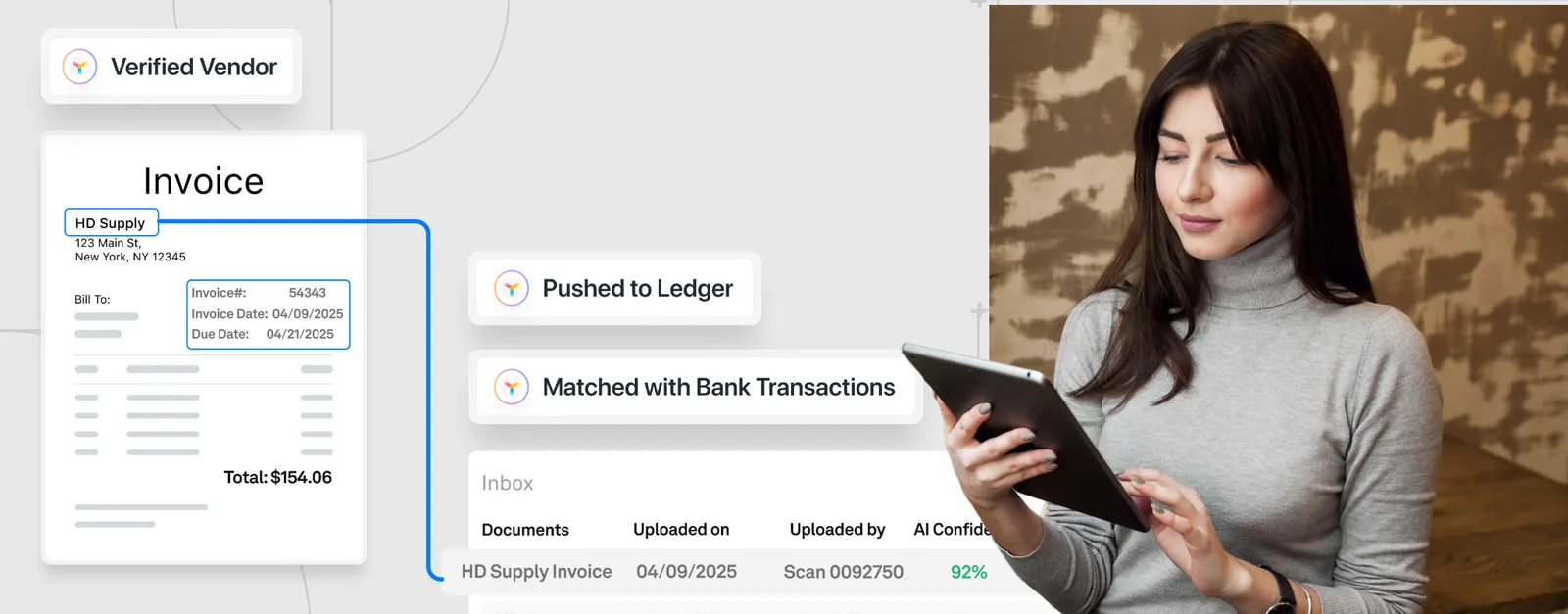
Once an invoice lands in the Bill queue, our AI reads it and extracts the fields that matter for accounting: vendor name, invoice number, dates, total amount, and line-item detail. Done by hand, this is the kind of work that eats a controller’s afternoon: opening each file, keying in the numbers, and checking them against a chart of accounts one invoice at a time. If a scanned batch contains multiple invoices in one file, the AI first splits it at the correct page boundaries, so 20 or 30 bills sent as one PDF become 20 or 30 individually coded invoices instead of one file someone has to manually separate first.
Docyt’s AI also splits out individual invoice lines and proposes the correct GL code for each, checked against a database of more than 800,000 recognized vendors, part of why it can code a bill correctly on the first pass. For a vendor the property has paid before, the coding follows that vendor’s historical pattern, since a pest control invoice, for example, almost always codes to the same account every time it arrives. For invoices spanning more than one property, like a landscaping contract covering three hotels, the same step splits the bill across properties by dollar amount or percentage, generating the intercompany due-to and due-from entries automatically. A new vendor, or an invoice that doesn’t clearly match a prior pattern, gets flagged for a reviewer to code manually, and that decision becomes the pattern our AI follows automatically the next time an invoice from that vendor arrives.
Because extraction is AI-powered rather than template-based, a clean PDF from a national vendor and a handwritten receipt from a local shop both get read for what they say, not matched to a pre-built form. Every original document stays stored in the AI Document Vault and linked to its transaction, searchable later for an owner request or audit.
Step 3: Approval Routing, Configured Inside Bill Pay
Before an invoice moves to payment, it passes through verification and then routes to the right approver based on rules set for that property or entity, typically a combination of vendor and dollar threshold. A routine invoice under the standard threshold routes to any one of several designated approvers. A larger invoice, or one outside a vendor’s usual amount range, automatically requires sign-off from multiple approvers instead of just one. Approval and payment are also kept as separate roles by design: the person who approves an invoice isn’t the same person who cuts the check, except at owner-operated properties where one person reasonably holds both. Once approved, the invoice is ready for payment.
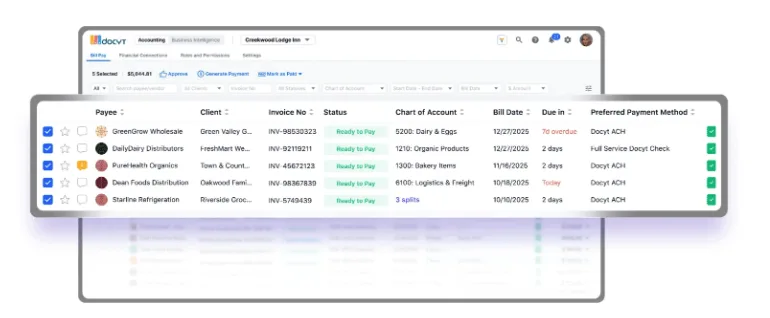
Step 4: Payment and Automatic Matching, Run by Our Document Matching Agent
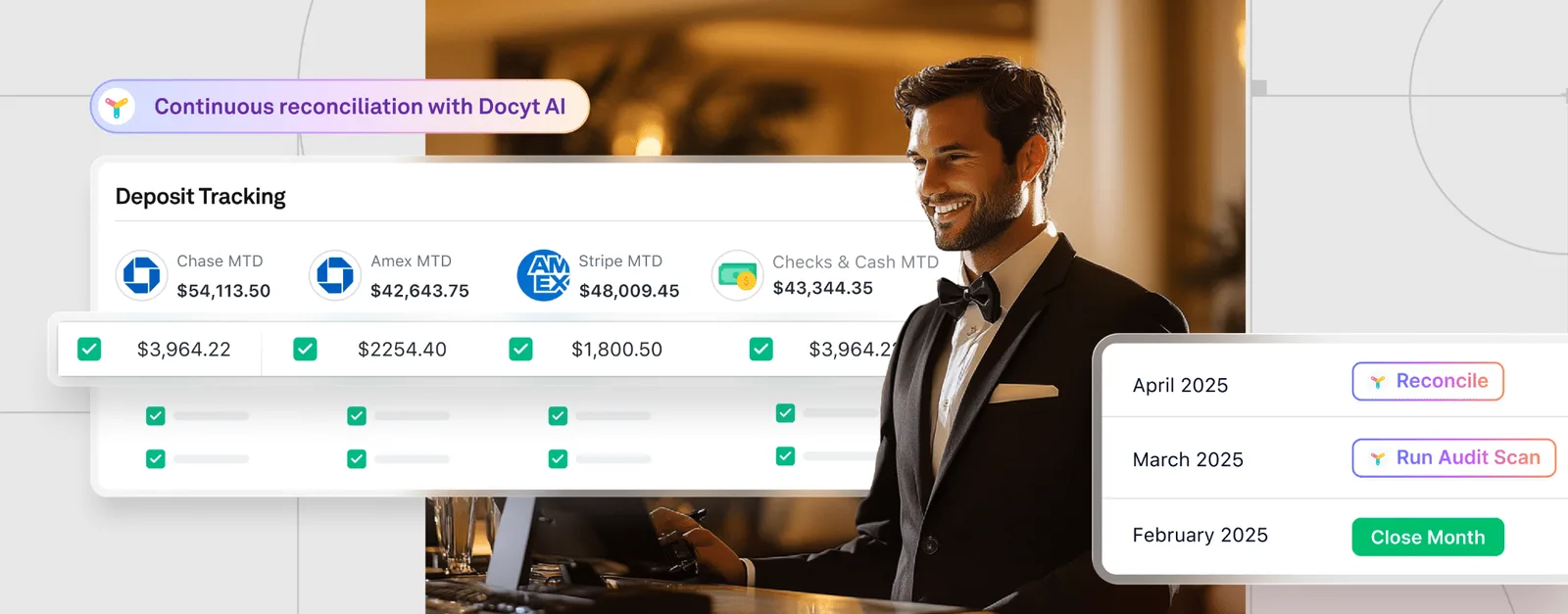
Once an invoice is paid, whether by check or ACH, the resulting bank or credit card transaction eventually shows up in the property’s bank feed. Our Document Matching Agent automatically links that transaction back to the original invoice sitting in the Vault, closing the loop without anyone manually searching for a receipt or reconciling the two by hand. The same agent does this for a GM’s scanned receipt and a corporate card charge, so a charge on a property credit card and the receipt a GM captured on their phone get connected automatically, which both improves coding accuracy and reduces audit risk.
Step 5: Categorization and Quality Checks, Run by Our Categorization Agent
As transactions settle into the ledger, our Categorization Agent applies the final vendor, department, and account coding, learning from every correction an accountant makes so the same vendor codes correctly the next time. The result is a general ledger that reflects each invoice under the correct account, department, and entity, often before anyone has had to manually review it.
Worked Example: One Invoice, Start to Finish
A $640 HVAC repair invoice arrives by email. The Document Collection Agent identifies it as a bill and routes it into the Bill Pay queue for the correct entity. Our AI extracts the vendor name, the $640 total, and the service date, and proposes Repairs and Maintenance for GL coding, matching how this vendor’s invoices have been coded before. Since the amount falls under the property’s standard threshold, it routes to a single approver, the property controller, who confirms it in under a minute. Once the check clears, the Document Matching Agent automatically links the resulting bank transaction back to this invoice, and the Categorization Agent finalizes the coding in the ledger, with no manual reconciliation required.
Why the Pipeline Matters More Than the Speed Claim
What determines whether this holds up at scale is whether each step is configured correctly. A GL coding pattern that isn’t reviewed occasionally will keep repeating a miscoding once it happens once. An approval threshold set too high defeats the purpose of a review step entirely. Loose matching rules can create duplicate entries instead of clean, linked records. That is why we built the Document Collection Agent, the Document Matching Agent, and the Categorization Agent to work together on the same record, rather than as separate tools a finance team has to stitch together themselves.
Tightening the accounts payable process is one of the more direct ways a finance team can control costs across a portfolio without cutting service.
Summary Recap:
- Hotel invoice document capture runs through several coordinated steps: intake and routing, AI-powered extraction and GL coding, approval routing, and automatic matching once payment is made.
- Each step depends on the one before it. Accurate extraction is what makes GL coding reliable, and automatic matching after payment is what keeps the ledger clean without manual reconciliation.
- A worked invoice example shows the sequence end to end, from a forwarded email to a coded, approved, paid, and automatically reconciled transaction.
- The coordination between agents, not a single speed claim, is what determines whether document capture holds up as invoice volume grows across a portfolio.
Ready to see this in your own portfolio?
Schedule time with our team to walk through how Docyt applies this to your properties. Schedule a consultation with Docyt